
You've made it through the application process, passed the Teams interview with flying colours and secured a face-to-face interview and then comes the: "As part of your interview, we'd like you to prepare a 10-minute presentation."
Lovely. Another thing to worry about.
You open PowerPoint, stare at a blank slide and immediately start wondering how much information you're supposed to squeeze into ten minutes. Five slides? Ten? Twenty? And how do you make sure you're not still talking when the interview panel starts looking at their watches?
Here's my advice: for a 10-minute job interview presentation, I'd normally recommend somewhere between 5 and 7 slides.
Not because there's a magic formula, but because ten minutes really isn't very long. And from a recruitment perspective, what you say, how you structure your thinking and whether you can communicate clearly matter far more than the number of slides you've managed to produce.
Let's look at how to get it right.
The Quick Answer: How Many Slides for a 10-Minute Interview Presentation?
Aim for 5–7 slides for a 10-minute interview presentation, including your introduction and conclusion. This gives you enough room to demonstrate your knowledge, communicate two or three important points and finish comfortably within the allotted time.
A practical structure is:
Slide 1: Introduction and presentation objective
Slide 2: Your understanding of the topic or challenge
Slides 3–5: Your main points, recommendations or supporting evidence
Slide 6: Summary and key takeaways
Slide 7 (optional): Questions or supporting information
WHAT’S INCLUDED
In this guide, we’ll cover:
How many slides you actually need for ten minutes
Why interview presentations are different from normal presentations
A practical slide-by-slide structure with timings
How to adapt your presentation to different interview tasks
Whether 5, 7 or 10 slides is the better choice
What interviewers are really looking for
How much information to put on each slide
Common presentation mistakes to avoid
How to practise and stay within the time limit
Interview presentation templates and examples
Frequently asked questions
1. Why I'd Recommend 5–7 Slides Rather Than 10
Search online for how many slides you should include in a 10-minute presentation and you'll find plenty of differing answers. Some recommend one slide per minute. Others suggest ten or more slides, particularly where each slide contains very little information.
For a general presentation a longer deck might work perfectly well. But a job interview presentation is a slightly different exercise. You're not delivering a conference keynote or presenting the quarterly sales figures to colleagues who already know you.
You're speaking to a small group of people who are actively assessing whether they want to employ you. The subject matter is often a bi product of the process.
They may be looking at your subject knowledge, communication skills, commercial awareness, confidence and ability to organise your thoughts. And you have ten minutes to demonstrate all of that.
The Open University's presentation guidance provides a useful comparison, suggesting approximately five to seven slides for a ten-minute presentation, with possible additional opening and closing slides.
That's broadly in line with my own recommendation, although I would generally keep the entire interview presentation within the 5–7 slide range.
Why Fewer Slides Can Actually be Better
Think about what happens when you are tasked with actually presenting in an interview. Somebody arrives with fifteen slides for a ten-minute interview. They start well, explain the introduction and then immediately realise they're three minutes in and have only reached slide three.
Suddenly, the pace changes, they start rushing, important points get skipped and the final slide receives approximately four seconds of attention. Lengthy presentations condensed into small time periods tend to feel rushed.
With fewer slides, you can spend more time explaining the thinking behind your recommendations, providing examples and showing the interview panel how you approach problems.
Just like a good CV, a good interview presentation is calm, designed cleanly and feels relevant and unrushed.
What Are Interviewers Actually Looking For?
Before designing anything you need to understand this question.
When an employer asks you to prepare a presentation, they're not necessarily testing your PowerPoint abilities (although if the role involves presenting information then the quality of the slides and a good interview presentation design will be important).
But, there’s a bigger picture.
The employer might be trying to understand:
Your knowledge: Do you understand the subject, industry or business challenge?
Your judgement: Can you identify what's important and what isn't?
Your communication: Can you explain complex information clearly?
Your preparation: Have you researched the company and understood the brief?
Your commercial awareness: Do your recommendations make sense in the real world?
Your time management: Can you deliver what was requested within the allotted time?
Your confidence: Can you discuss your ideas and answer questions without relying entirely on a script?
Different employers will assess different things, but these are all sensible areas to prepare for. What you’ll notice and nothing listed above requires twenty slides.
In fact, your ability to reduce a complicated subject into a clear, well-structured ten-minute presentation can itself demonstrate good judgement.
The Ideal 10-Minute Interview Presentation Structure
Rather than starting with PowerPoint, I'd start by breaking the ten minutes into manageable sections.
| Slide | What to include | Suggested time |
|---|---|---|
| 1. Introduction | Title, brief introduction and what you'll cover | 30 seconds |
| 2. Understanding the brief | The challenge, opportunity or question | 1 minute |
| 3. First key point | Your first recommendation or area of expertise | 2 minutes |
| 4. Second key point | Supporting evidence, experience or solution | 2 minutes |
| 5. Third key point | Practical application, priorities or expected outcomes | 2 minutes |
| 6. Summary | Main takeaways and final recommendation | 1 minute |
| 7. Closing (optional) | Final thought or transition into questions | 30 seconds |
This isn’t a rigid formula, but an adaptable framework that can be tweaked and adapted to nearly any interview presentation.
SLIDE 1: INTRODUCE
Keep this section simple, introduce yourself and the presentation. Include your name, the presentation title and perhaps a short sentence explaining who you are and what you’re going to cover
This part should be delivered fairly quickly, you don't need to spend two minutes introducing yourself.
The panel already has your CV, and there will usually be other opportunities to discuss your background. Get into the subject.
SLIDE 2: DEMONSTRATE
This is where you establish that you've understood what the employer is asking. If the task concerns improving customer retention, for example, briefly explain the challenge as you understand it.
If the presentation is about your first 90 days in the role, explain what you believe the initial priorities should be.
You're showing the panel that you've thought about the problem before jumping straight into solutions.
SLIDE 3-5: THE MAIN PRESENTATION CONTENT
These are the slides that matter most. I would normally organise the presentation around three main points.
For example, if you've been asked how you would improve a struggling sales team, your three areas might be:
Understanding current performance and identifying problems
Improving processes, coaching and accountability
Measuring progress and building sustainable results
Each supported by practical examples, sensible recommendations and your own experience. You don't need to demonstrate everything you know about sales management. You need to demonstrate that you can approach the problem logically.
SLIDE 6: BRING EVERYTHING TOGETHER
Keep this section simple, introduce yourself and the presentation. Include your name, the presentation title and perhaps a short sentence explaining who you are and what you’re going to cover
This part should be delivered fairly quickly, you don't need to spend two minutes introducing yourself.
The panel already has your CV, and there will usually be other opportunities to discuss your background. Get into the subject.
SLIDE 7: CLOSING OUT
A separate "Thank You" slide can highlight the presentation is over to your audience, and can be used as a prompt to open questions to the floor.
Alternatively you may wish to finish with your three main recommendations or a useful summary that can remain on screen while the panel asks questions.
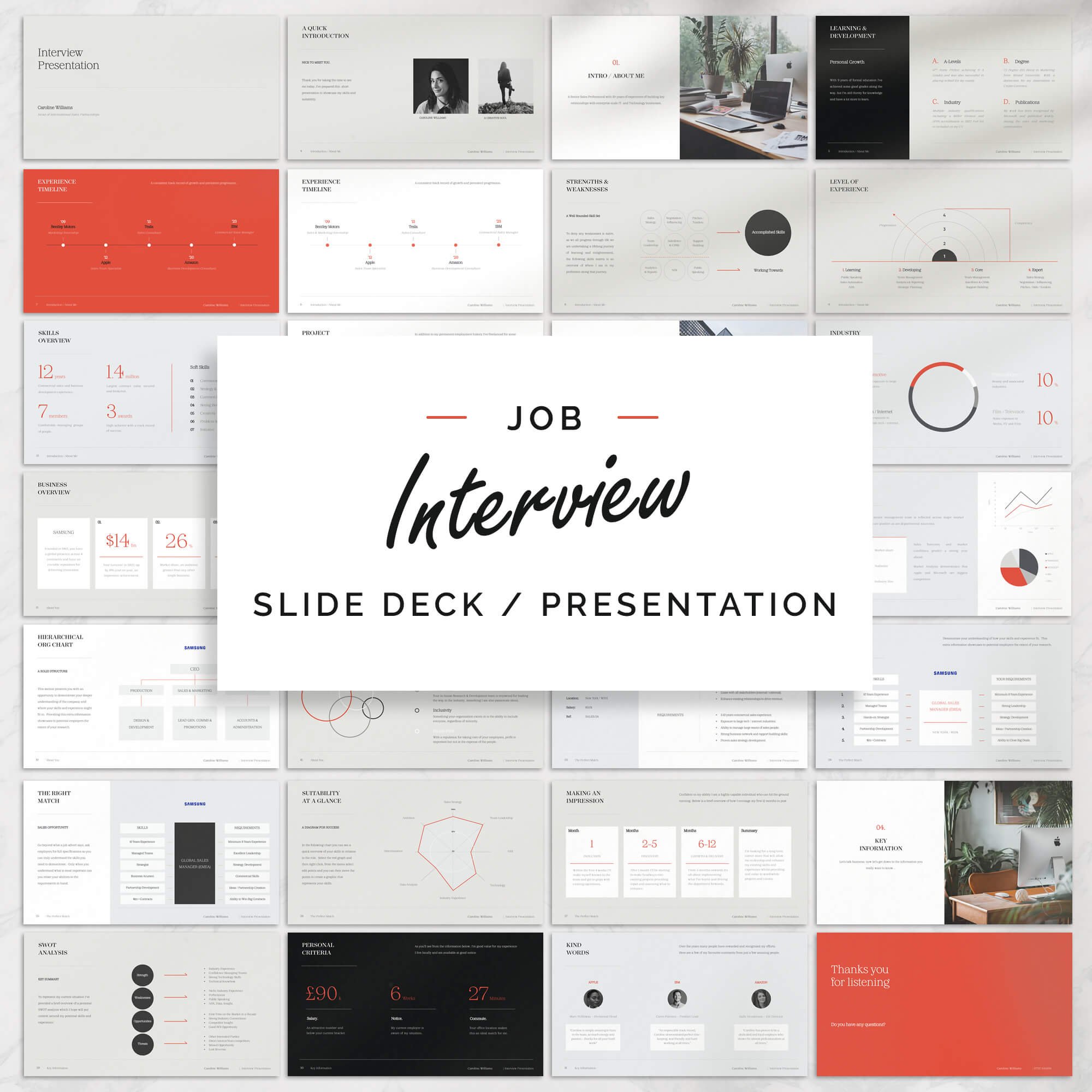
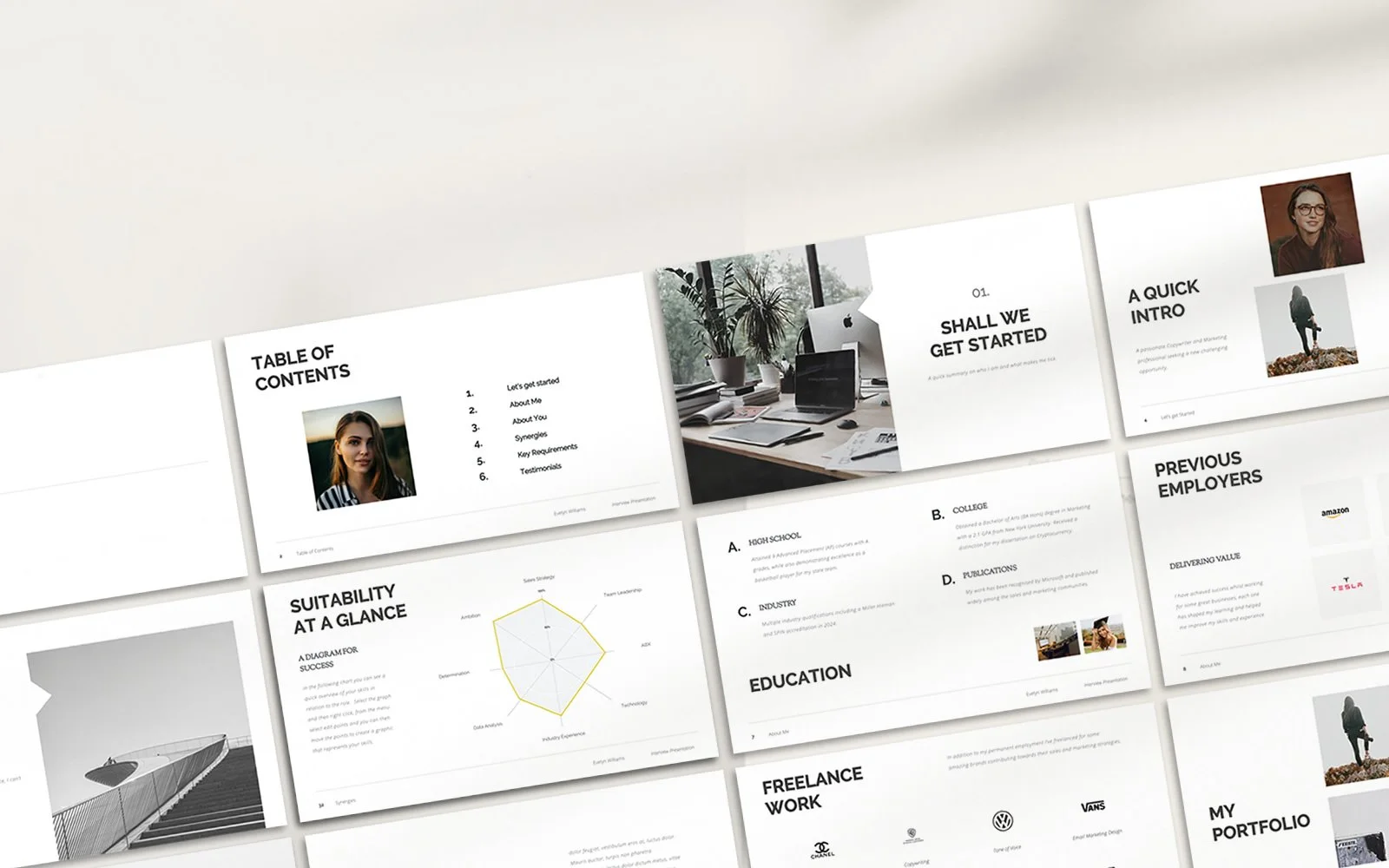
Our "Epicurus" PowerPoint interview presentation template will help you to create an effective and highly engaging job interview in minutes.
Designed to last 10 minutes (although it can be lengthened or shortened as appropriate) the presentation template includes a variety of charts, graphs, diagrams and infographics to help you visualise your data and ideas in the most impactful way.
The clean and organised layout of the 30+ slides will ensure your content will be easy to read and follow, whether you're presenting to Business Owners, HR, Recruiters or Colleagues, our template will give you the confidence and ability to deliver a winning presentation every time.
COMPLETE PRESENTATION INCLUDED - For inspiration we've included a complete final presentation to give you real insight into what you need to say. No placeholder text here.
QUICK & EASY TO UPDATE - The hard work has been done for you, just edit the text and you'll be good to go. Simple and extremely easy to use.
SUITABLE FOR - Job promotion presentations or new job interview presentations, this 10 minute template can be used again and again over time supporting you and your career as you grow.
________________________________________________
/ / WHAT'S INCLUDED...
- Over 30 Customisable PowerPoint Presentation Slides (16:9 / .ppt / .pptx).
- A fully finished presentation for inspiration!
- Read Me / User Guide - Covering FAQs, Advice and more.
- Downloadable Fonts.
- First class customer support. We are here to answer your questions.
________________________________________________
// GREAT FEEDBACK - YOU’RE IN SAFE HANDS…
⭐⭐⭐⭐⭐
"This is a beautifully produced interview presentation template and will serve you well... It's only PowerPoint but PowerPoint is all I need to take my breath away"
⭐⭐⭐⭐⭐
"Such a polished look, I love this template! The guides and inspiration helped me make the difference in my presentation!"
⭐⭐⭐⭐⭐
"I modified it in less than an hour. Whoop!
⭐⭐⭐⭐⭐
"Great template, I had a couple of queries which were answered straight away by the seller. Would definitely recommend :)"
⭐⭐⭐⭐⭐
"Beautiful CV template! I found it easy to edit and adapt to my needs. Suzie is amazingly helpful and very fast to reply. She was also ready to make customized changes to the CV template."
________________________________________________
/ / SOFTWARE REQUIREMENTS...
Our interview presentation templates have been evaluated across all versions of MS PowerPoint (Mac or PC) and are compatible.
NOTE: If you don't own a copy of MS PowerPoint you can download a trial version for free here: http://products.office.com/en-us/try (Mac & Windows)
________________________________________________
/ / FINAL NOTES…
All templates purchased from The Career Improvement Club are for personal use only and may not be resold or redistributed.
As our products are digital files and are delivered immediately. Because of this we are unable to offer refunds.
If you have any questions, please contact us first. We are a friendly bunch!
A 10-Minute Interview Presentation Example
Now, let’s apply this to a specific presentation and position. Imagine you’re interviewing for a Marketing Manager role. The employer has asked:
"Please prepare a 10-minute presentation outlining how you would approach improving our digital marketing performance during your first 90 days."
Here's how I would structure my 7 slides:
| Slide | Title | Main content |
|---|---|---|
| 1 | My First 90 Days | Introduction and presentation objective |
| 2 | Understanding the Current Position | Performance, audience, channels and existing activity |
| 3 | Days 1–30: Review and Understand | Audit performance, speak to stakeholders and identify opportunities |
| 4 | Days 31–60: Prioritise and Improve | Identify quick wins, address weaknesses and develop a plan |
| 5 | Days 61–90: Implement and Measure | Launch improvements, monitor performance and refine activity |
| 6 | How I'd Measure Success | Relevant KPIs, reporting and expected outcomes |
| 7 | My Priorities | Summary of the approach and final recommendations |
What makes this effective is that it doesn’t pretend that you know everything about the business. A mistake I see candidates make all the time when preparing strategic interview presentations is they pretend to know it all.
They research the company online, make assumptions about its challenges and then present a fully formed strategy as though they've been working there for six months.
I'd much rather see somebody acknowledge what they know, what they don't know and how they would approach finding the answers. For example:
"Based on the information available, I'd initially focus on understanding channel performance and customer acquisition costs. However, my priorities would depend on the internal data and discussions with the team."
That demonstrates a more considered approach than confidently promising to increase revenue by 30% without knowing the numbers.
The purpose isn't to prove you have all the answers. It's to show how you would go about finding them.
Is 5, 7, or 10 Slides Better for a 10 Minute Interview?
There isn't one correct answer. It depends on what you've been asked to present, how much explanation each slide needs and how comfortable you are delivering the material. Here's how I would compare the options.
The key is understanding that slide count and information density are two different things. Ten slides containing a single image or short headline might be easier to deliver than five slides packed with complicated charts and paragraphs of text.
How Much Information Should You Put on Each Slide?
Actually, it’s not as much as you might think. One of the most common problems with interview presentations is that candidates try to put their entire speaking script onto the screen.
They then end up with a slide containing six bullet points, three paragraphs and a chart that nobody can read. And then you stand there reading it. Don’t do this.
The interview panel can read, they don't need you to do it for them therefore your slides should support what you're saying, not replace you.
Create clear, clean slide designs and then make presentation notes (which only you can see). A good presentation should support the points you make verbally, not list everything in it’s entirety.
How to Make Your Interview Presentation Look Professional?
Fortunately you don't need to be a graphic designer, and you certainly don't need to spend three days experimenting with PowerPoint animations.
These job interview presentation templates offer up a nice ready-made shortcut. What’s great about these is they include many of the formats and fields employers are already expecting to see, you just have to tailor to your message.
Whether using a template or designing yourself, I'd concentrate on a handful of things.
KEEP THE DESIGN CONSISTENT
Use the same fonts, colours, heading styles and spacing throughout. A presentation that looks like seven completely different documents isn't particularly easy to follow.
MAKE EVERYTHING READABLE
If you're presenting in person, remember that the panel might be looking at a screen several feet away. If you're presenting through Microsoft Teams or Zoom, your slides could be competing with video windows and other on-screen information.
USE DIAGRAMS WHERE THEY GENUINELY HELP
Timelines, simple charts, process diagrams and comparison graphics can communicate information more effectively than a long paragraph.
A 30-60-90 day plan, for example, is often easier to understand as a timeline than as three enormous blocks of text.
DON’T OVERDO ANIMATIONS
A little movement can help introduce information gradually. But if every heading flies in from a different direction, it quickly becomes distracting. You're applying for a job, not auditioning to create the next Pixar film.
TRY USING A TEMPLATE
If you're short on time or haven't used PowerPoint for a while, a professionally designed template can give you a useful starting point.
We've created a dedicated 10-minute interview presentation template that includes editable slide layouts, diagrams and an example presentation.
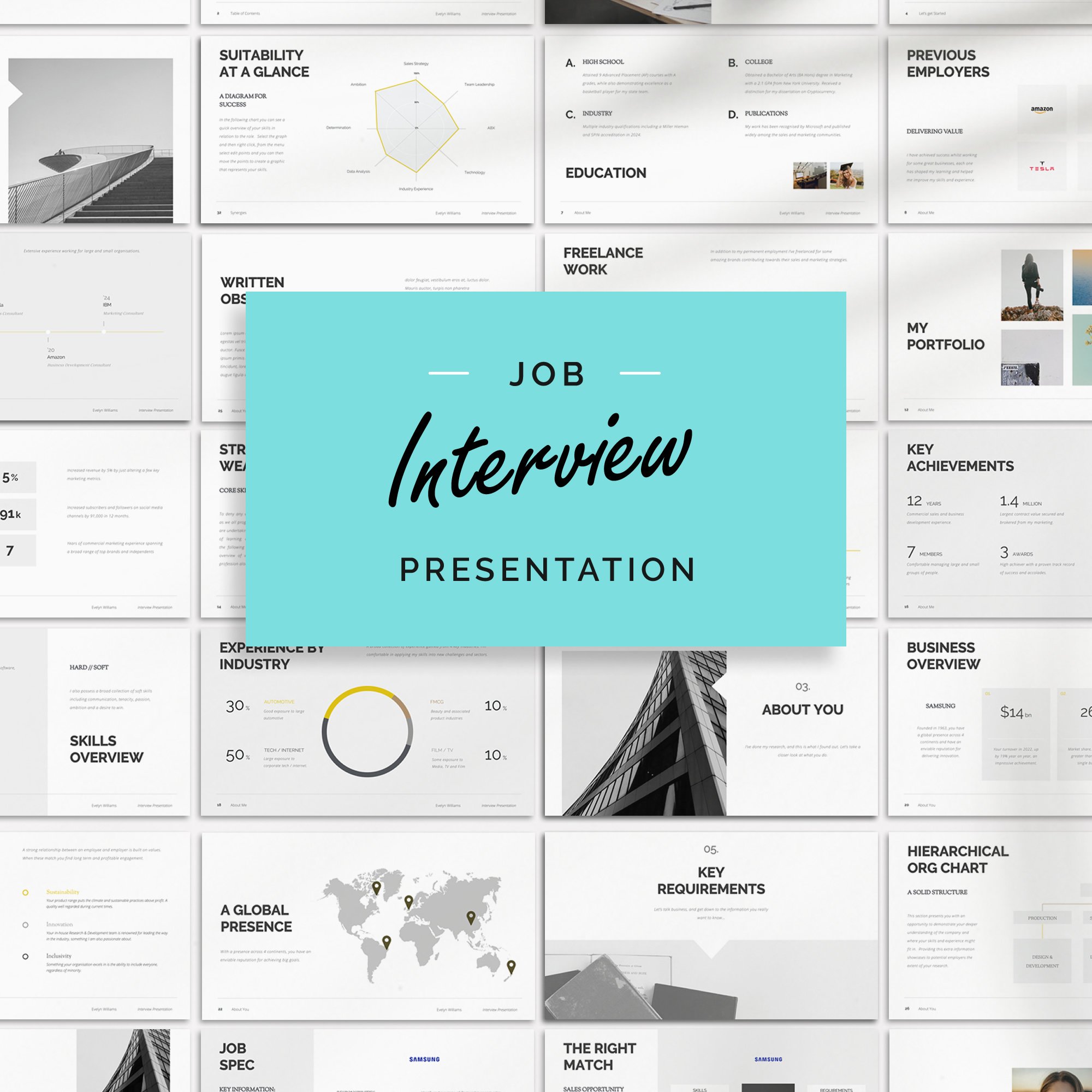
Grab the attention of the employer with a dedicated interview presentation template. Our Evelyn PowerPoint Presentation is packed full of inspirational slides that will help you create an effective and highly engaging job interview ppt in minutes.
Designed to last 10 minutes (although it can be lengthened or shortened as appropriate) the presentation template includes a variety of charts, graphs, diagrams and infographics to help you visualise your data and ideas in the most impactful way.
The clean and organised layout of the 40+ slides will ensure your content will be easy to read and follow, whether you're presenting to Business Owners, HR, Recruiters or Colleagues, our template will give you the confidence and ability to deliver a winning presentation every time.
COMPLETE PRESENTATION INCLUDED - For inspiration we've included a complete final presentation to give you real insight into what you need to say. No placeholder text here.
QUICK & EASY TO UPDATE - The hard work has been done for you, just edit the text and you'll be good to go. Simple and extremely easy to use.
SUITABLE FOR - Job promotion presentations or new job interview presentations, this 10 minute template can be used again and again over time supporting you and your career as you grow.
________________________________________________
/ / WHAT'S INCLUDED...
- Over 40 Customisable PowerPoint Presentation Slides (16:9 / .ppt / .pptx).
- A fully finished presentation for inspiration!
- Read Me / User Guide - Covering FAQs, Advice and more.
- Downloadable Fonts.
- First class customer support. We are here to answer your questions.
________________________________________________
// GREAT FEEDBACK - YOU’RE IN SAFE HANDS…
⭐⭐⭐⭐⭐
"This is a beautifully produced interview presentation template and will serve you well... It's only PowerPoint but PowerPoint is all I need to take my breath away"
⭐⭐⭐⭐⭐
"Such a polished look, I love this template! The guides and inspiration helped me make the difference in my presentation!"
⭐⭐⭐⭐⭐
"I modified it in less than an hour. Whoop!
⭐⭐⭐⭐⭐
"Great template, I had a couple of queries which were answered straight away by the seller. Would definitely recommend :)"
⭐⭐⭐⭐⭐
"Beautiful CV template! I found it easy to edit and adapt to my needs. Suzie is amazingly helpful and very fast to reply. She was also ready to make customized changes to the CV template."
________________________________________________
/ / SOFTWARE REQUIREMENTS...
Our interview presentation templates have been evaluated across all versions of MS PowerPoint (Mac or PC) and are compatible.
NOTE: If you don't own a copy of MS PowerPoint you can download a trial version for free here: http://products.office.com/en-us/try (Mac & Windows)
________________________________________________
/ / FINAL NOTES…
All templates purchased from The Career Improvement Club are for personal use only and may not be resold or redistributed.
As our products are digital files and are delivered immediately. Because of this we are unable to offer refunds.
If you have any questions, please contact us first. We are a friendly bunch!
The template includes more than 30 slide designs, but that doesn't mean you should use all 30. Quite the opposite. The idea is to choose the five, six or seven layouts that best support your presentation, customise the content and remove everything you don't need.
What is the Biggest Presentation Mistake?
It’s running overtime. If the employer has asked for ten minutes, prepare for ten minutes. Not twelve, not fifteen, but ten.
There was an interesting discussion on Reddit's r/UKJobs in September 2025 where a candidate was struggling to reduce a 15-minute presentation to the requested ten minutes.
The candidate was concerned that removing information would compromise the quality. After receiving advice, they shortened it and later confirmed that the interview panel had actually been keeping time.
It's a useful real-world example of something candidates sometimes underestimate. The time limit may be part of what you're being assessed on.
The reason why finishing on time matters is that imagine you're interviewing somebody for a management position. You ask them to present a recommendation in ten minutes, they deliver a well-researched presentation, but it takes sixteen minutes because they couldn't decide what to leave out.
This raises questions about their ability to prioritise information, follow instructions and communicate efficiently.
Now imagine somebody else delivers a clear, well-supported recommendation in nine minutes and thirty seconds, they cover the important points, finish confidently and leave time for questions.
Which approach demonstrates better control?
How to Practice a 10 Minute Interview Presentation
Once you've finished creating the slides, the next job is to practise. This doesn’t mean flicking through them in PowerPoint while imagining what you might say.
I mean standing up and delivering the entire presentation out loud. With a timer.
First run-through: find the problems
Your initial run is likely to surface a few obvious errors, maybe content, timing making it all feel connected. That's fine and normal.
Second run-through: nail down the timing
If you're running over time, don't automatically start speaking faster, look at what you can remove. Are you repeating yourself? Does the panel really need three examples when one strong example would make the point? Could two slides become one?
Editing is usually a better solution than rushing.
Third run-through: focus on delivery
Once the timing is under control, concentrate on how you're communicating. Are you looking at the audience? Do you sound natural? Are you explaining the material rather than reading it? Does the presentation flow logically?
Final run-through: recreate the interview
If possible, practise using the same equipment and environment you'll use on the day. For an online interview, check screen sharing, slide formatting and your internet connection. For an in-person interview, make sure you have the presentation saved in the requested format and know how you'll access it. I'd also keep a PDF backup where appropriate, just in case PowerPoint decides not to cooperate
What If You're Asked to Prepare a 10-Minute Presentation About Yourself?
This is a common variation of the interview presentation. Rather than presenting a business challenge or strategic recommendation, you might be asked to introduce yourself, discuss your experience and explain what you would bring to the position.
Here's a simple structure.
| Slide | What to cover |
|---|---|
| 1. Introduction | Your name, professional background and a brief introduction to your career |
| 2. My Career Journey | A short overview of your career progression and most relevant experience |
| 3. Core Skills & Strengths | Three or four key skills that directly match the requirements of the role |
| 4. Key Achievements | Two or three specific examples of your impact, ideally supported by measurable results |
| 5. What I Can Bring | How your experience, skills and approach could benefit the employer |
| 6. Why This Opportunity? | What interests you about the company, position and next stage of your career |
| 7. Summary & Key Takeaways | Reinforce your suitability and finish with a confident, concise conclusion |
RECRUITER TIP: Remember, this isn't an opportunity to walk the interview panel through your entire employment history. They've already got your CV.
Concentrate on the parts of your career that are most relevant to the position, give specific examples of what you've achieved and explain how that experience could benefit their organisation.
And don't spend half your presentation explaining where you went to school twenty years ago. Unless it's genuinely relevant, the panel probably doesn't need to know.
Five Common Interview Presentation Mistakes to Avoid
1. Too many slides
You're trying to cover too much information and the presentation feels rushed.
2. Too much text
Your slides have effectively become your speaking script, leaving the panel reading instead of listening.
3. Not answering the questions
You've created something impressive, but it doesn't actually address the brief the employer gave you.
4. Making unsupported assumptions
You've presented a detailed solution without acknowledging the information you'd need to make an informed decision.
5. Not practising properly
The slides look fantastic, but you haven't delivered the presentation out loud or checked the timing.
A Final Checklist Before Your Interview
Ready for Your Interview?
Work through these nine checks before delivering your interview presentation.
Frequently Asked Questions
Is 5 slides enough for a 10-minute interview presentation?
Yes. Five slides can be perfectly sufficient for a ten-minute interview presentation, particularly if you're explaining your experience, presenting a case study or discussing a small number of important recommendations. The key is having enough substance to support the time without overcrowding the slides.
Is 10 slides too many for a 10-minute presentation?
Not necessarily, but ten slides would be towards the upper end of what I'd normally recommend for an interview. If each slide contains a simple visual or one clear point, ten can work. If they're full of detailed information, you'll probably struggle to explain everything properly.
How many words should I have on each PowerPoint slide?
There isn't a fixed word count. Aim for short headings, concise bullet points and supporting visuals rather than full paragraphs. The slides should help the interview panel follow your explanation, not contain everything you're planning to say.
Should I include a title slide in a 10-minute interview presentation?
Yes, generally. A simple title slide containing your name and the presentation topic creates a professional introduction. Just don't spend too much of your allocated time on it.
Should I include a thank-you slide?
It's optional. I'd normally prefer a final summary slide that reinforces your recommendations and remains visible during questions. A separate thank-you slide is fine, but it isn't essential.
Can I use notes during an interview presentation?
Unless the employer has specifically prohibited notes, you can generally use brief prompts to help you remember your structure and key information. Try not to read directly from a script, as that can make the presentation feel less natural.
Should I use PowerPoint or Google Slides?
Either can work, provided the employer accepts the format. PowerPoint is a common choice for interview presentations, but Google Slides can be perfectly suitable. Choose the software you're comfortable with and check compatibility before the interview.
How long should a 10-minute interview presentation actually last?
I'd aim for approximately nine minutes of rehearsed speaking time, leaving a little room for natural pauses and transitions. However, if the employer has included questions within the ten-minute slot, you'll need to shorten the presentation accordingly.
What if I finish my presentation too early?
Finishing a little early is rarely a problem. Finishing after four minutes when you've been allocated ten may suggest that your content needs more depth. Rather than adding unnecessary slides, consider whether you could include a stronger example, more evidence or a clearer explanation of your recommendations.
Do I need to use an interview presentation template?
No. You can create an excellent presentation from scratch. However, a template can save time, provide consistent formatting and help you organise your ideas, particularly if you don't regularly work with PowerPoint.
Final Thoughts
There you have it, a clear structure for creating your 10 minute interview presentation. One final thought to leave you with, those that produce an interview presentation when not asked for one were twice as likely to get hired. The reason for this is a good presentation demonstrates confidence, initiative and workplace professionalism. All character traits employers look for.
Finally if you've got an interview coming up and don't particularly fancy spending your weekend wrestling with PowerPoint, take a look at our 10-Minute Interview Presentation Template.
It's designed specifically for job interviews and includes editable slide layouts, diagrams, infographics and a completed example presentation to help you get started.
Choose the layouts you need, adapt the content to your vacancy and concentrate on delivering a presentation that feels natural, relevant and professional.
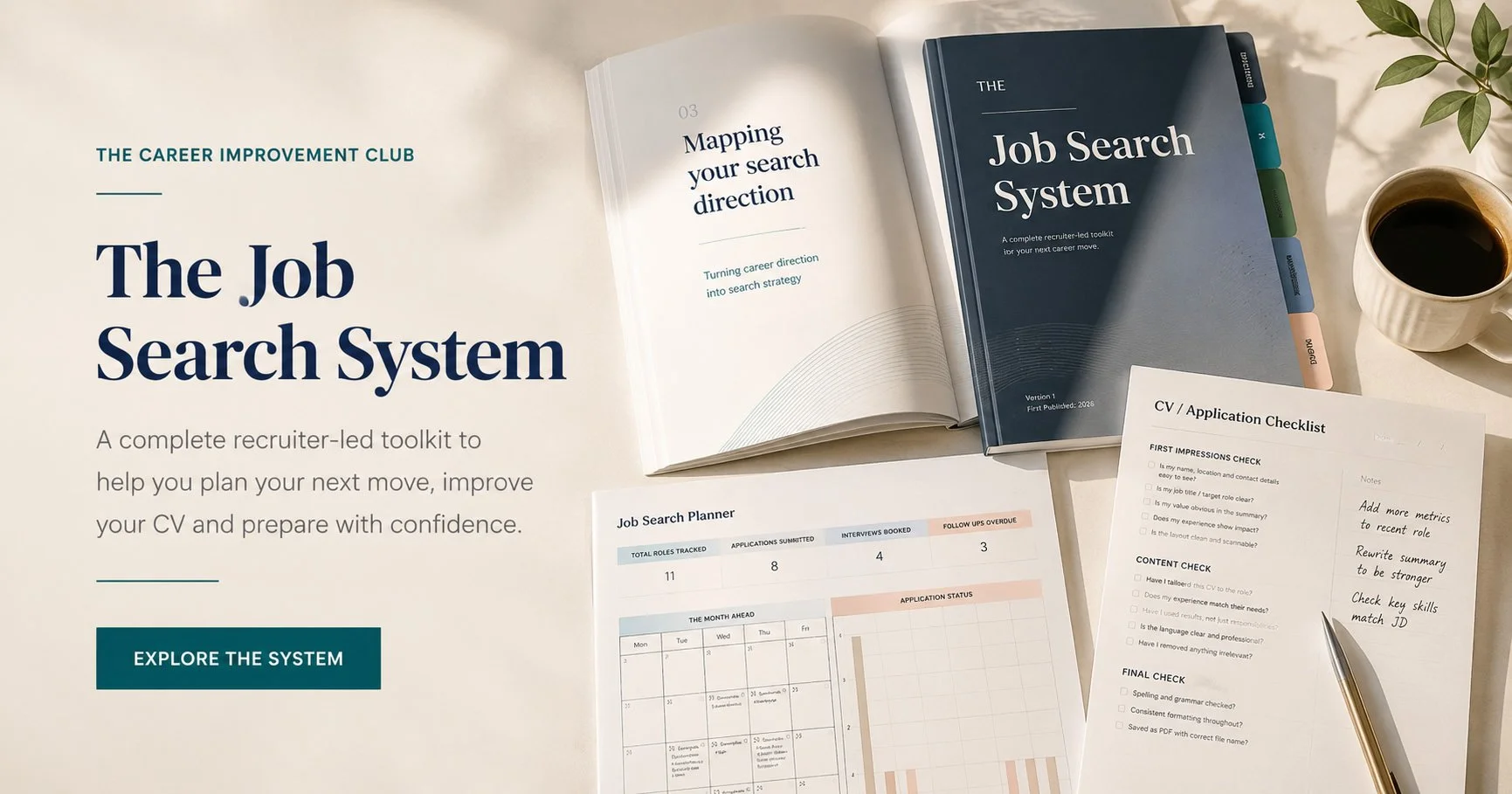
And if you're looking for help beyond this particular interview, The Job Search System brings together recruiter-led CV guidance, interview preparation, presentation templates and practical job-search planning tools in one place.
You can also read our existing guide on How to Prepare for an Interview Presentation for more advice on preparation and delivery.
The aim isn't to create more slides. It's to make the ones you use count.